Claude Code Channels, and where it stops
Updated August 2026
Channels puts Claude Code in your Telegram. It is free, it is official, and it is very good at what it does. It also has two limits that no amount of configuration removes — both of them the same limit, really.
What Channels is
Released in March 2026, Channels connects a running Claude Code session to Telegram, Discord or iMessage. You start a session on your machine with the channels flag, link the chat, and from then on you can send it work from your phone and read the replies as messages.
If you already run Claude Code and you simply want to reach it from the sofa, this is the right tool and it costs nothing. Use it.
The part that catches people out
Channels is an interface, not a host. The session is still running on your computer, and the chat is a window onto it. Two consequences follow, and neither is a bug:
Your computer has to stay on. Close the lid and the session goes with it. The chat stays there looking perfectly healthy, which is the confusing part — you send a message from the train and nothing answers, because the thing you are messaging is asleep in your bag.
It stops when it needs permission. When the agent reaches something it wants approval for, it waits. If you are away from the desk, it waits until you get back — so a job you started before dinner can be exactly where you left it at bedtime, having done nothing for four hours.
Both are the same limitation wearing different clothes: the work is tied to a machine that is tied to you.
What people try next
The usual next step is a VPS: rent a small server, install Claude Code, keep a session alive in tmux, reach it over SSH. It genuinely fixes the sleeping-laptop problem, and we have written up that path and the others in more detail.
What it does not fix is the second half. A session in tmux still stops and waits, and now it waits somewhere you have to SSH into to find out. You have moved the machine without changing the arrangement.
The other arrangement
The alternative is to stop treating the agent as a program you left running and start treating it as someone who works somewhere.
That is what we do. Each coworker gets a name, a job and a persistent cloud computer; the fleet’s conversations, rooms and approval requests stay together in one Workspace. The coding agent uses your company’s own AI access rather than a subscription resold by us. It can get on with ordinary work and brings consequential changes back for a human decision. Browser sign-in opens the Workspace, whose relevant surfaces and optional browser alerts carry completion notices — not a separate bot for every coworker.
The honest comparison: Channels is included with eligible Claude plans and lets you reach a session on a machine you operate. Our Workspace is free to use, but you still pay directly for your AI access and the cloud machines. If you want to administer the session and box by hand, Channels or a VPS is the better answer.
Which to use
Stay on Channels if your work happens while you are at the machine anyway, and you just want a nicer way to reach it.
Move to a machine of its own if you keep starting things you cannot wait around for — the long migration, the scraper that should run hourly, the build you would like finished by morning.
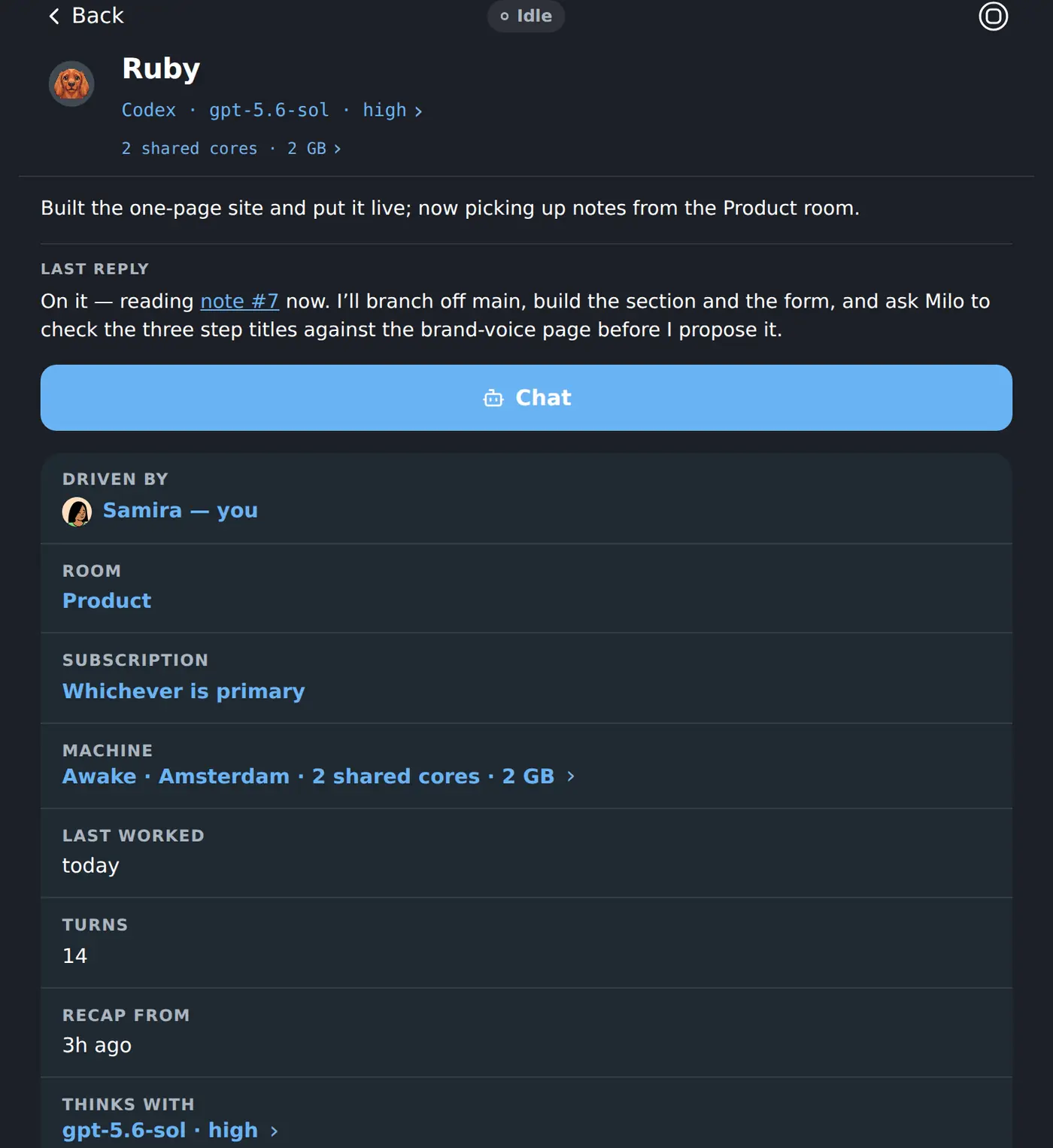
If you have hit that wall, this is the other side of it: a team of persistent coworkers managed from one shared Workspace, each with a machine that keeps working after everyone closes their laptops and using the Claude or ChatGPT access your company chooses.
Keep reading
- Background agents: which ones actually keep workingEveryone ships one now. The four questions that separate an agent that works while you sleep from a chat window that stops the moment you look away.
- What Claude Code really costs to runSubscription or API, what the usage windows mean in practice, and the two bills people forget — the box it runs on, and the hours spent keeping it alive.
- Where to host OpenClaw so it stays upOwn hardware, a VPS, or a managed host: what each costs once you add the model bill nobody quotes — and an honest note about which reader we are not the answer for.